How it works
Four steps. Then you go back to teaching.
The student journey
One class, start to finish
She walks in, gets checked in, brings a friend, earns points, and leaves following her instructor.
Read the story instead
1. She walks in — No front-desk queue, no clipboard, no app to hunt for. 2. Arrival detected — LedBy sees she's at the studio during her class window and checks her in. +1 Point. 3. Her friend arrives — First class, no account yet. Nothing to install. 4. One scan at the door — A LedBy-branded QR opens new-student onboarding on her own phone. 5. Consent, asked properly — Studio waiver, contact details, and text/email consent as separate choices. 6. Two points before class — One for showing up, 5 for bringing someone who showed up with her. 7. Her instructor sees it — “Maya just checked in a buddy. Show your appreciation.” 8. They take the class — LedBy stays out of the room. That is the whole point. 9. One scan on the way out — A review tied to real attendance, and a follow. +1 Points for the review. 10. The playlist follows her home — Following an instructor is how the class keeps going after the class. 11. One tap for the instructor — Send Songs, Congratulate, Win Back — notification, email or text. 12. Points become real things — Her balance unlocks rewards. Her instructor gains a student who comes back.
- 1
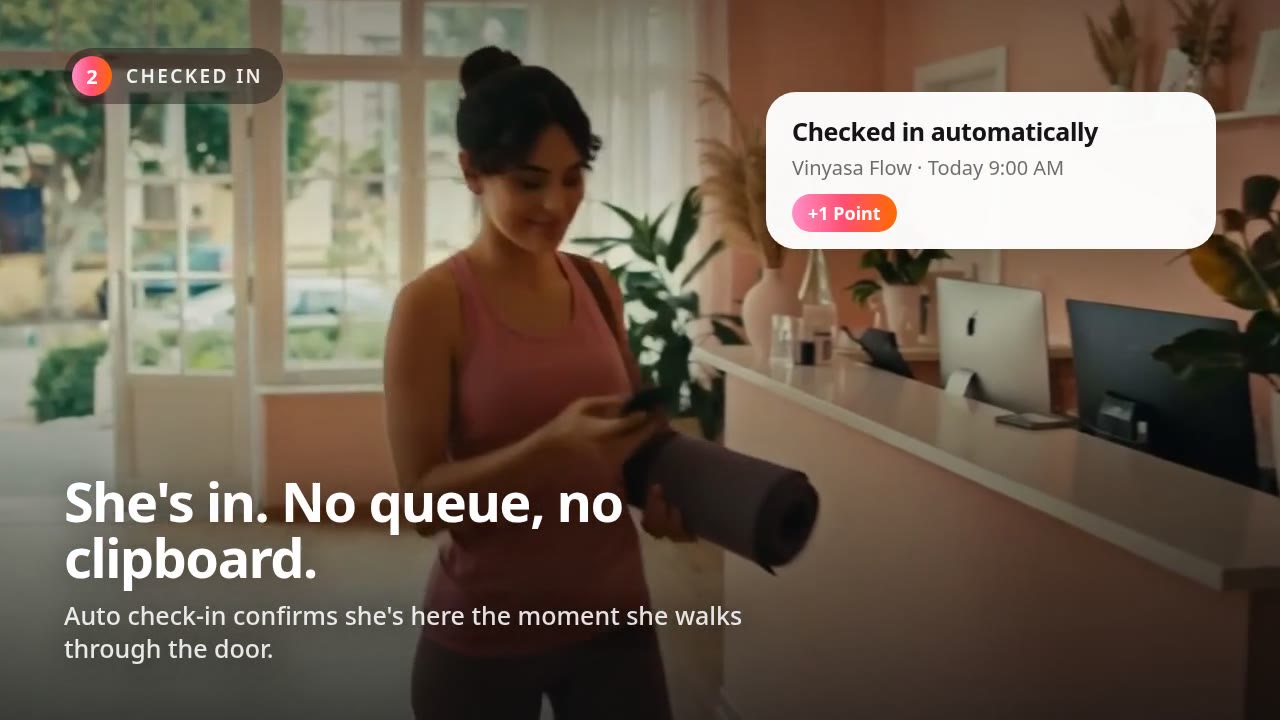
She walks in
No front-desk queue, no clipboard, no app to hunt for.
- 2
Arrival detected
LedBy sees she's at the studio during her class window and checks her in. +1 Point.
Checked in+1
Automatic check-in needs location permission and the LedBy app open. QR and instructor check-in stay available as fallbacks.
- 3
Her friend arrives
First class, no account yet. Nothing to install.
- 4
One scan at the door
A LedBy-branded QR opens new-student onboarding on her own phone.
Welcome to the studio
- 5
Consent, asked properly
Studio waiver, contact details, and text/email consent as separate choices.
Waiver signed · Contact saved
Marketing texts require their own explicit opt-in and are never bundled with the waiver.
- 6
Two points before class
One for showing up, 5 for bringing someone who showed up with her.
Buddy joined+5
- 7
Her instructor sees it
“Maya just checked in a buddy. Show your appreciation.”
Reward a point · Say thank you
Instructor reward points are the instructor's own currency and stay separate from LedBy Points.
- 8
They take the class
LedBy stays out of the room. That is the whole point.
- 9
One scan on the way out
A review tied to real attendance, and a follow. +1 Points for the review.
Review posted · Following Sarah+1
Reviews are never gated on a rating — every student sees the same prompt.
- 10
The playlist follows her home
Following an instructor is how the class keeps going after the class.
- 11
One tap for the instructor
Send Songs, Congratulate, Win Back — notification, email or text.
Add to Send Songs
Text and email only send where the student has opted in and the instructor has sends available.
- 12
Points become real things
Her balance unlocks rewards. Her instructor gains a student who comes back.
Reward unlocked

sarah.moves
22hTuesday 6:30am is cancelled
swipe up for the new time
6,204
followers
12
saw it
0.2%
reached
You changed Tuesday once
2 seconds ago
Sent to the 38 students in that class only.
38
reached
100%
delivered
0
posts made
- Step 1
Create your page
About 5 minutes
getledby.com/instructors/sarahSarah
Vinyasa & Slow-flow
8 years teaching · Costa Mesa, CA
FollowSat · 8:00 AM
Sunrise Flow
Fairview Park
Tue · 6:30 PM
Candlelit Slow-flow
The Loft Studio
- Step 2
Share it after class
Ten seconds
9:41LedByYour QR code
Print it, post it, or show it after class.
getledby.com/sarahCopyDownload QROne permanent link. It never changes.
- Step 3
Students choose to follow
One tap for them
9:41LedByStay connected with Sarah
First name
MayaEmail
maya@hey.comMobile (optional)
(949) 555-0134Follow SarahYour name, email and phone number are never given to the instructor. Unsubscribe anytime.
Saturday · 8:00 AM · Fairview ParkBook this class - Step 4
Send only what matters
A minute, when you need it
9:41LedByReach your community
Class Reminders
Text · 214 people
Schedule Updates
Email · 214 people
Celebrate Milestones
Text · 92 people
Sent this morning“Sunrise Flow moves to Fairview Park this Saturday, same 8 AM, bring a towel.”
214 delivered · 71% opened
Change studios. Keep everyone.
Sarah
getledby.com/sarah
1,840
students came with her
Sarah moved studios. Her students didn't notice.
Honest answers to the questions we get most
- I'm not good with technology. Is this going to be hard?
- No. There is nothing to design and nothing to keep feeding. Most instructors are finished with setup before their coffee is cold, and after that the only thing you ever do is update a class time.
- Do I have to stop using Instagram?
- Not at all. Keep Instagram for what it's good at. Put your LedBy link in your bio so the people who actually want your schedule can get it without scrolling through stories.
- Where do the students come from?
- The ones already in your room. They scan your code after class because they want to know where you teach next. Nobody hands over a list, every follow is their own choice.
- What happens if I leave a studio?
- Nothing happens to your following. Your page, your schedule and the people who follow you are yours. You update where you teach and your students come with you.